How to add additional CRS to the viewer coordinate display
Whilst every project is uploaded with a specified CRS you may want to also see the coordinates in another CRS. For example, uploading a project with a projected CRS but you would also like to see the geographical coordinates (long/lat) for the project by adding WGS84 to the CRS display.
NOTE: The available CRS that you can choose from are sourced from the company CRS favorites list. If there are no favorites defined, then this will not be available.
Adding the CRS
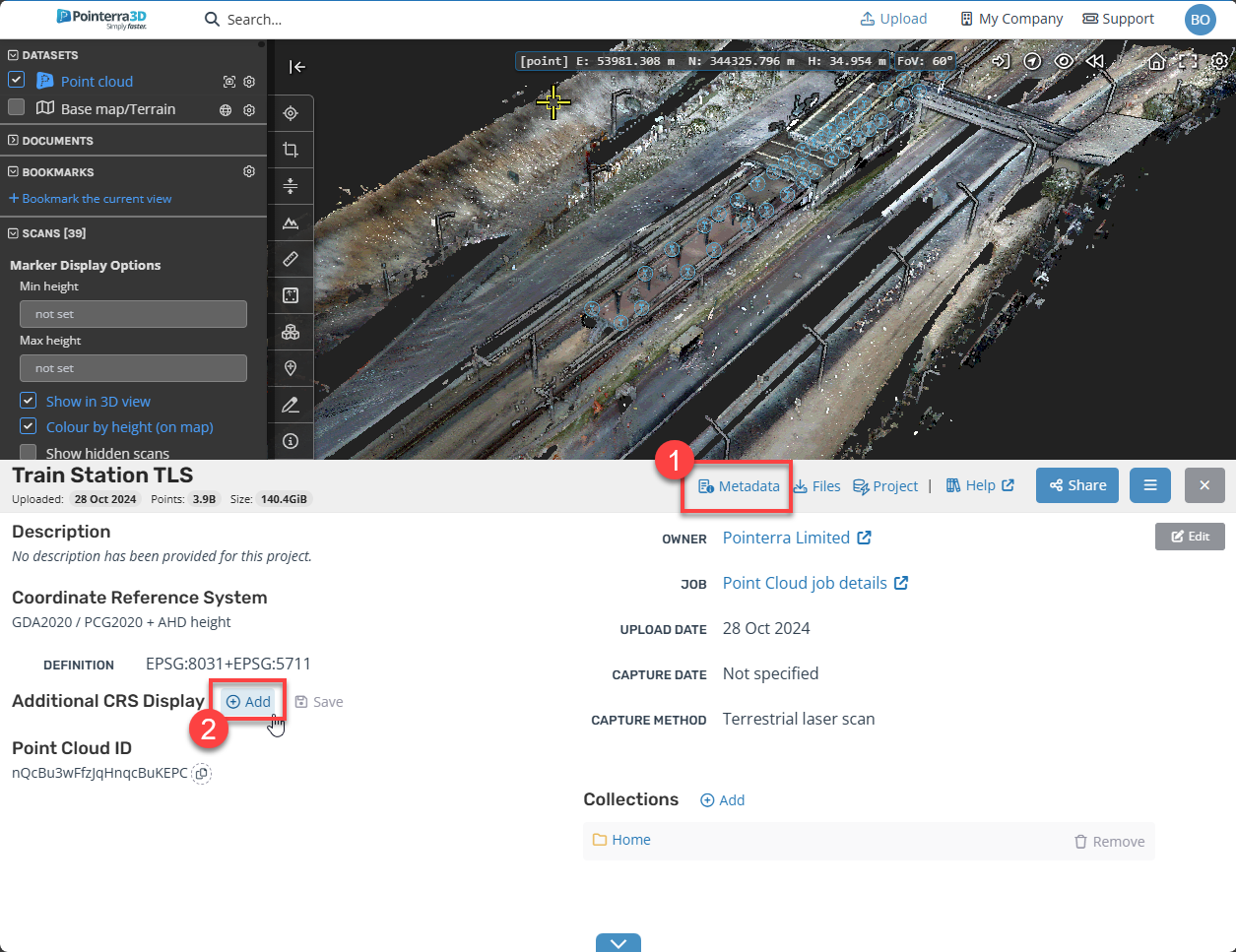
Firstly, navigate to the Metadata tab on the bottom of the viewer
-
Then select the Add button.
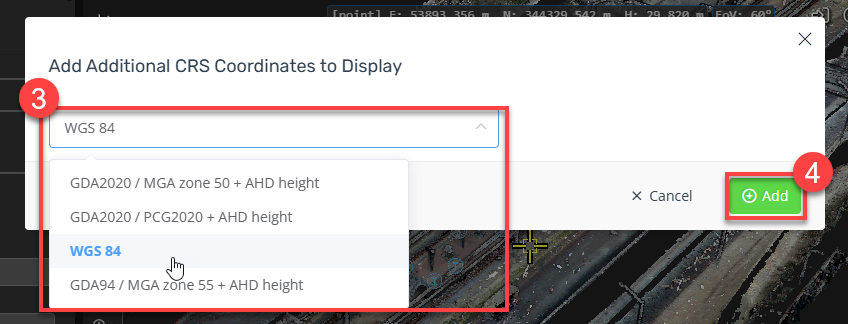
On the pop-up menu, choose the additional CRS from the dropdown menu
-
And confirm the addition
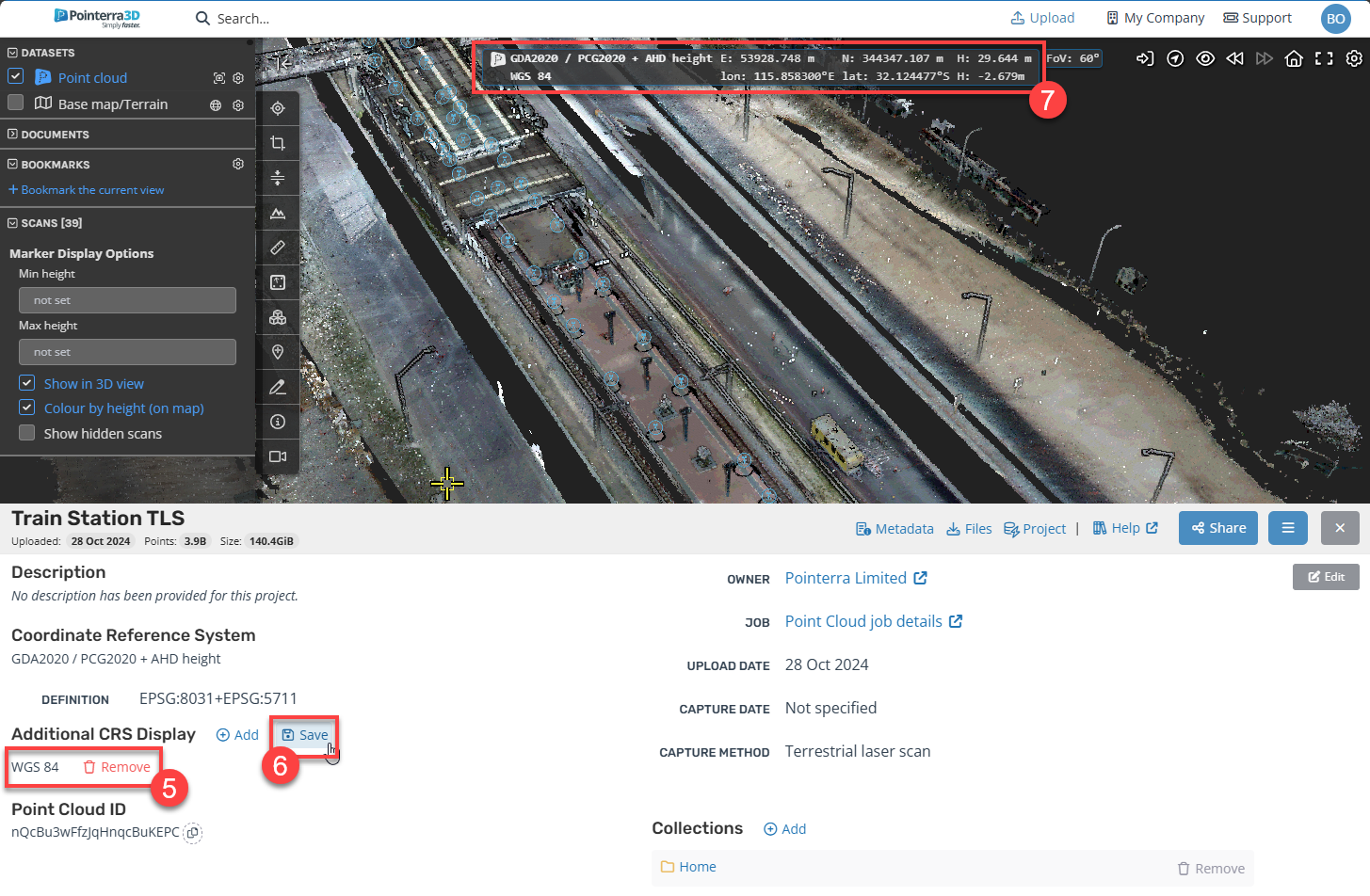
You will then see the Additional CRS be listed under the Metadata tab
Select the save button
-
Finally, when you place your cursor over the 3D viewer, you will see additional CRS added