
Release Notes - 16th February 2026
New Features
360° Video Support
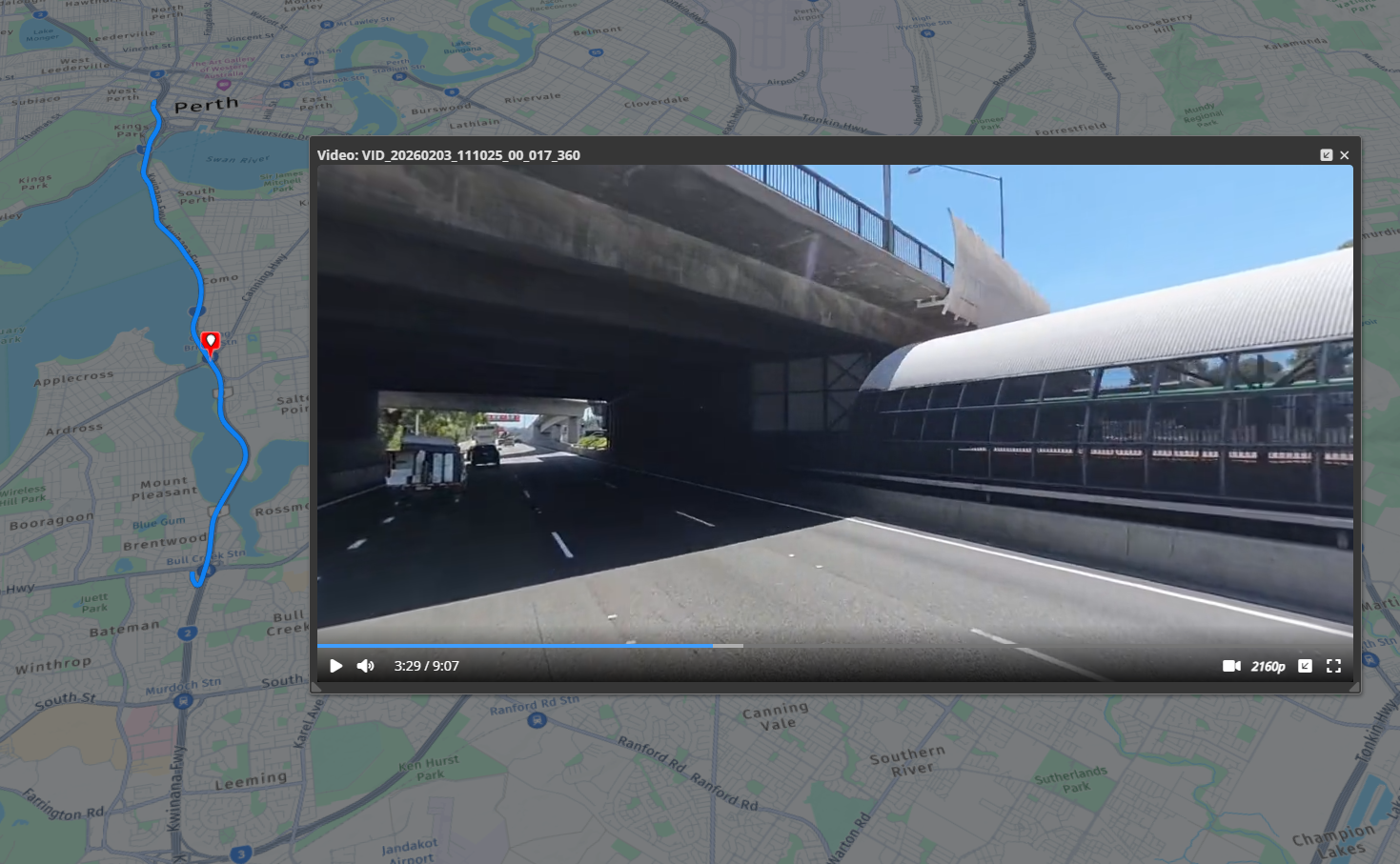
You can now upload and view 360° videos directly in the platform.
Import 360° video as a video dataset, with automatic detection based on embedded metadata.
Interactive playback lets you pan the view freely with your mouse while the video is playing.
Bookmarks are supported, making it easy to return to points of interest.
Initial support includes Insta360 cameras (may also work for others), with optional GPX files to display the capture path.
What’s next
Support for additional 360° camera systems.
The ability to add markups to individual video frames via bookmarks.
Improvements/Changes
Pointerra3D Core
General
Improve IFC import for some cases where parts of the models were missing (due to non-conformant IFC files).
DXF processing handles INSBASE entities and reports coordinate validation errors.
Acquisition date/time metadata now includes a timezone specification.
-
New run_analytics permission has been added to allow control over which users can initiate analytics processing (for companies that have analytics subscriptions). Company admins will automatically have this permission. Other users/teams will need to have this permission added to allow them to initiate analytics processing tasks.
Note this may result in changed behavior for existing users.
Portal UI
Email is now displayed and is searchable for share links on the company sharing page.
Shared links that have been emailed to you will now appear on the 'Shared with me' section.
Identities on profile page are scrollable and searchable
Added option to include results from subfolders when searching in a collection on the projects page.
Viewer
-
The measurements tool has been improved and now has its own tool panel to more easily access the various measurement modes and edit/save properties.
When selecting a measurement, the tool panel allows you to edit color, label, notes and tags
Measurements can now be filtered with tags - useful for projects with a large number of measurements
Performance has been significantly improved for projects with large numbers of measurements.
Plane measurements now display standard Dip Direction and Dip (from horizontal) as standard values.
Plane measurements display the label in the 3D scene (if there is one).
Plane measurements can now be exported to CSV
Added a button in scan view and 360 photo properties to save additional settings as the default for that dataset (without saving the project).
Photogrammetry
Added support for Applanix EO reference files for photogrammetry.
Analytics
Added a strike tree peak height filter to allow filtering out trees based on peak height.
Display total network length in km/miles (depending on display units).
Encroachment tree ID (internal) is now included in network reports.
Enhanced the tree visualization by implementing option to color based on tree IDs. Added support for a strike tree color mode.
Display configured wire circuit colors in the assign wire circuits tool UI.
Remove need to use ctrl key when changing assigned wire circuits with keyboard numbers.
Better support for including compound pole structures when reclassifying points as poles.
Utility Explorer
Add new search param to search for pole using primary key
Made inspection notes time zone display more consistent
Bug Fixes
Fix incorrect units shown for alternate CRS coordinates (if not in the same units as the project).
Fixed issue where DEM heights could be incorrect if the user's DEM model has incorrect vertical unit metadata in the files (can now be manually selected in the SRS chooser as an override).