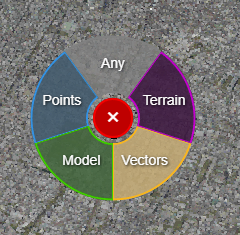
Pick Mode Control
The user can control the pick mode of the mouse, which reflects on the coordinate readout on the top right of the 3D viewer.
You can choose between:
Any (closest of any object type)
Point Cloud
Vectors
3D Model
Terrain
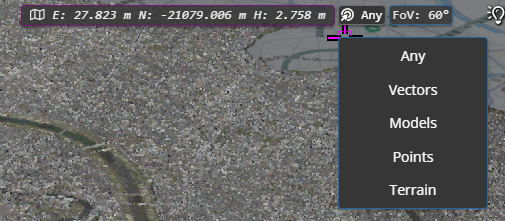
There is a pick mode indicator at the top of the viewer window (next to the coordinate display). You can click on the to change the current mode.
There is also a quick access menu - you can access this by pressing the Spacebar in the viewer and using the mouse to select from the menu.
Note: the existing functionality linked to the Spacebar, to sync the 2D map view with the 3D view, now requires you to use SHIFT+Spacebar.