How do I generate and download automated point cloud quality reports?
What does the LAS/LAZ QC Report check?
The LAS/LAZ QC Report is designed to identify inconsistencies in the source LAS/LAZ files that may indicate data-quality, compatibility, or coordinate-system issues before the point cloud is used downstream.
The report compares metadata across all LAS/LAZ files in the point cloud and highlights differences that may require investigation.
It currently detects:
LAS version differences
Identifies when source files use different LAS specification versions.Point Data Format differences
Identifies when files use different LAS Point Data Record Formats, which can mean the files contain different point attributes or structures.System Identifier differences
Identifies inconsistent System Identifier values recorded in the LAS headers.Coordinate Reference System differences
Compares coordinate-system information stored in WKT records and highlights files that contain different CRS definitions.Missing coordinate-system metadata
Identifies files where the expected coordinate-system information is absent from the LAS header.
These differences do not necessarily mean the data is invalid, but they can indicate that files have been produced from different sources, processed differently, or combined with inconsistent metadata.
What other information is included?
The report also provides supporting information to help assess the point cloud and investigate any detected differences, including:
Project generation summary
Number of files in the dataset
Total point records
Global minimum and maximum X, Y and Z coordinates
Point density for all returns and last returns
Point spacing for all returns and last returns
WKT OGC coordinate-system information found in the LAS headers
Summary of detected variances
-
Point-record attribute information, including:
Intensity range
Return number
Classification
Scan angle
Scanner channel
Point source ID
The results are compiled into a downloadable DOCX QC report for review and record keeping.
How do I enable the QC report generation for my upload?
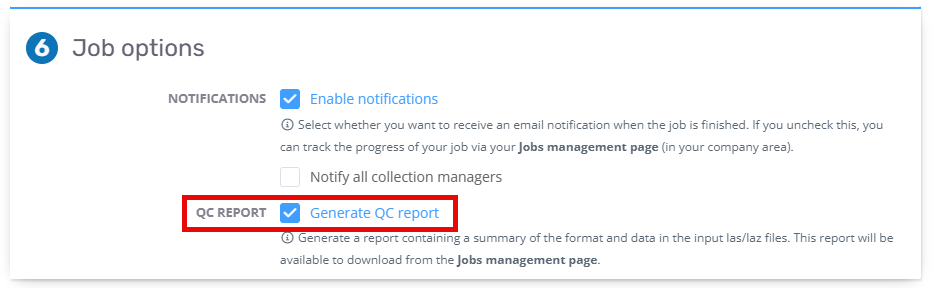
The Generate QC Report option is available in Section 6: Job Options in the upload page.
If you do not see this option and would like to trial it, please contact support.
Where can I download the QC Report?
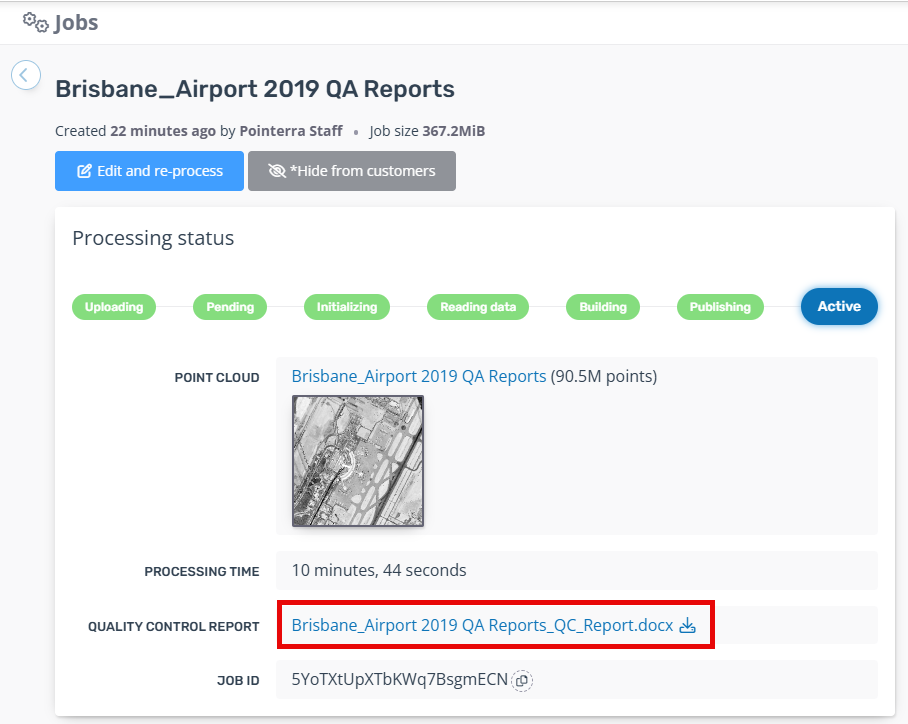
When the job has completed building, the report will be available in the Processing status section under the Processing Time.