How do I run analytics?
Analytics are a special type of dataset that analyzes existing datasets for quality control, feature extraction and smart filtering.
Pointerra has analytics that:
Classify points into classes such as vegetation, ground and building
Extract and vectorize poles and wires from utility/electrical networks
Detect and vectorize individual tree polygons and determine encroachment on wires
Compare the change between two point clouds, or a point cloud and 3D model
And many more...
Running Analytics
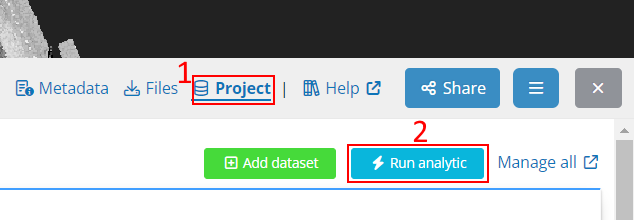
Analytics can be run on projects that have one or more point cloud datasets. Run them from the Project tab under the 3D viewer, using the blue Run analytic button.
You will be presented with a list of available analytics, where you can click on each to view a description of what it does. Some analytics may be marked with a lock icon, indicating you do not have access to run it. If you wish to trial the analytic, please contact our sales team or submit a support request for access. Analytics may also be disabled if the project does not contain the necessary data.
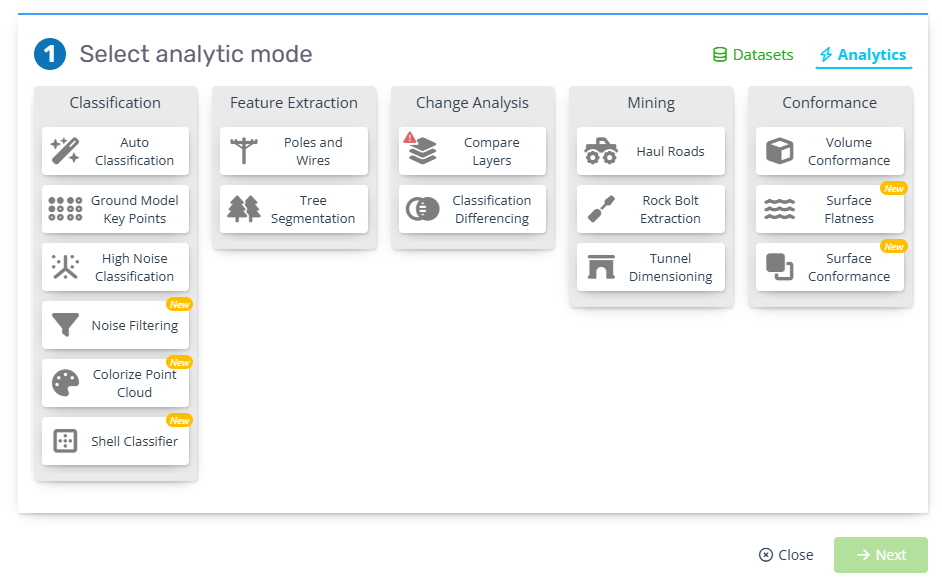
Some analytics such as Auto classification can also be run at the same time as uploading a new point cloud. Simply add your point cloud files, then click Add analytic at the bottom before uploading. Use the green and blue Datasets/Analytics tabs at the top right to switch between the two (see the image above). Any analytics selected here will run on all point clouds in the upload list and will start automatically once the point clouds have finished processing.
Viewing a classification
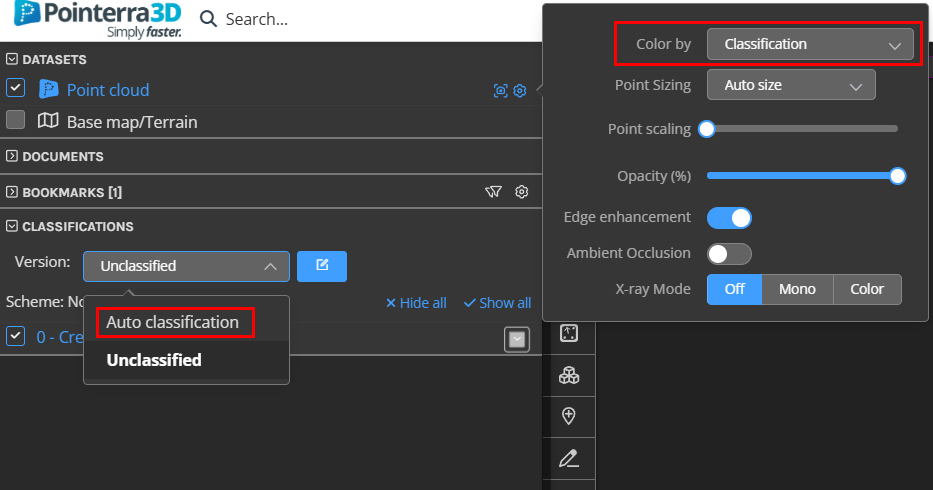
After running a classification analytic, you can view it by changing the point cloud Color by mode to Classification, and selecting the new classification from the Version dropdown. Any point clouds added after the analytic was run will remain unclassified.