User Tier Permissions
User tiers are primarily a licensing construct that allows us to package and price platform capabilities at different levels. Each tier groups together a defined set of features, enabling customers to purchase access that aligns with the role and value of each user type, such as full project management, advanced analysis, or view-only access. While tiers determine what functionality is available under a given licence, the existing collections permissions system remains the mechanism administrators use to control and restrict user access within their organisation. In other words, tiers define what can be licensed, and collections define what an individual user can access.
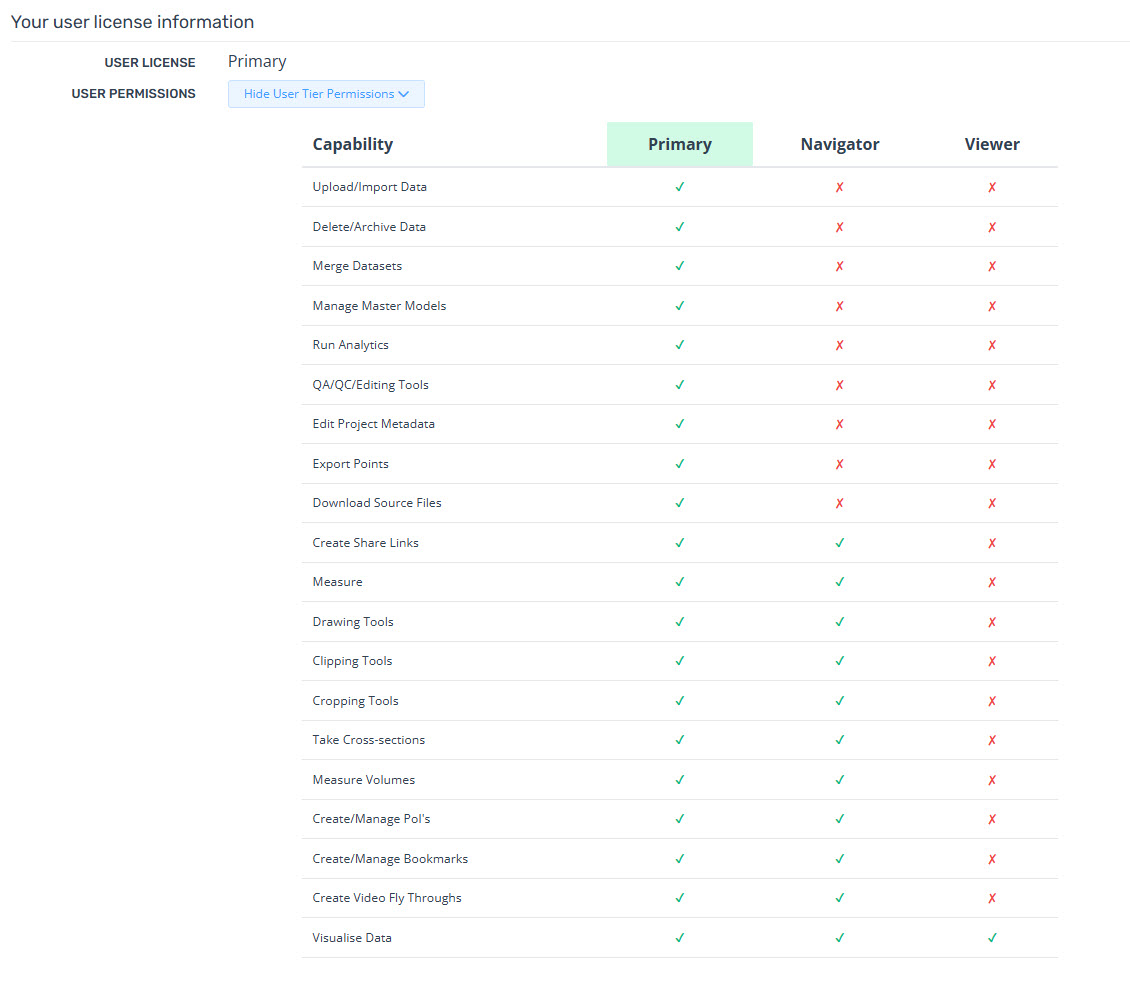
Permssions allowed by each tier
Primary
Upload/Import Data
Delete/Archive Data
Merge Datasets
Manage Master Models
Run Analytics
QA/QC/Editing Tools
Edit Project Metadata
Export Points
Download Source Files
Create Share Links
Measure
Drawing Tools
Clipping Tools
Cropping Tools
Take Cross-sections
Measure Volumes
Create/Manage POI’s
Create/Manage Bookmarks
Create Video Fly Throughs
Visualise Data
Navigator
Create Share Links
Measure
Drawing Tools
Clipping Tools
Cropping Tools
Take Cross-sections
Measure Volumes
Create/Manage POI’s
Create/Manage Bookmarks
Create Video Fly Throughs
Visualise Data
Viewer
Visualise Data
Account Administrators
You can view information about users in your company under the Users tab within Manage Account. This section displays each user's name, email, user type, and assigned license.
There are three types of user licenses: Primary, Navigator, and Viewer.
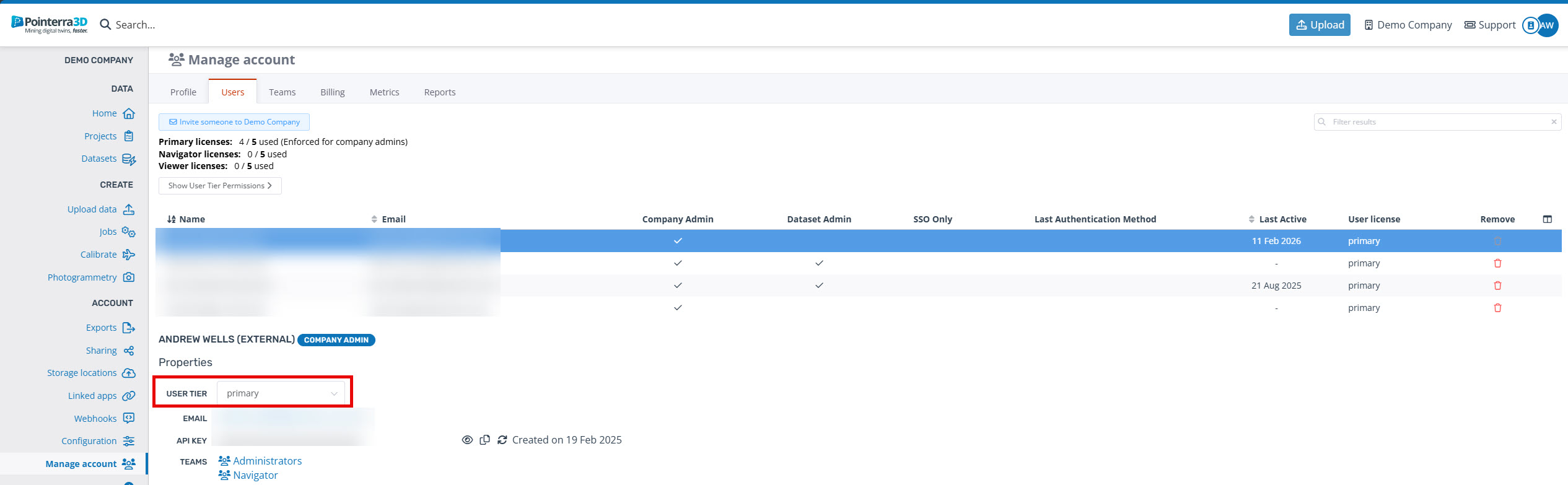
Select the user to change the licence tier. Note, if they are in the administrators team, they will not able to change to a lower tier until that user is removed from that team.
Non-Administrators
If you are not an administrator and would like to know what licence tier you are in, navigate to your profile and then scroll down to Your user license Information.