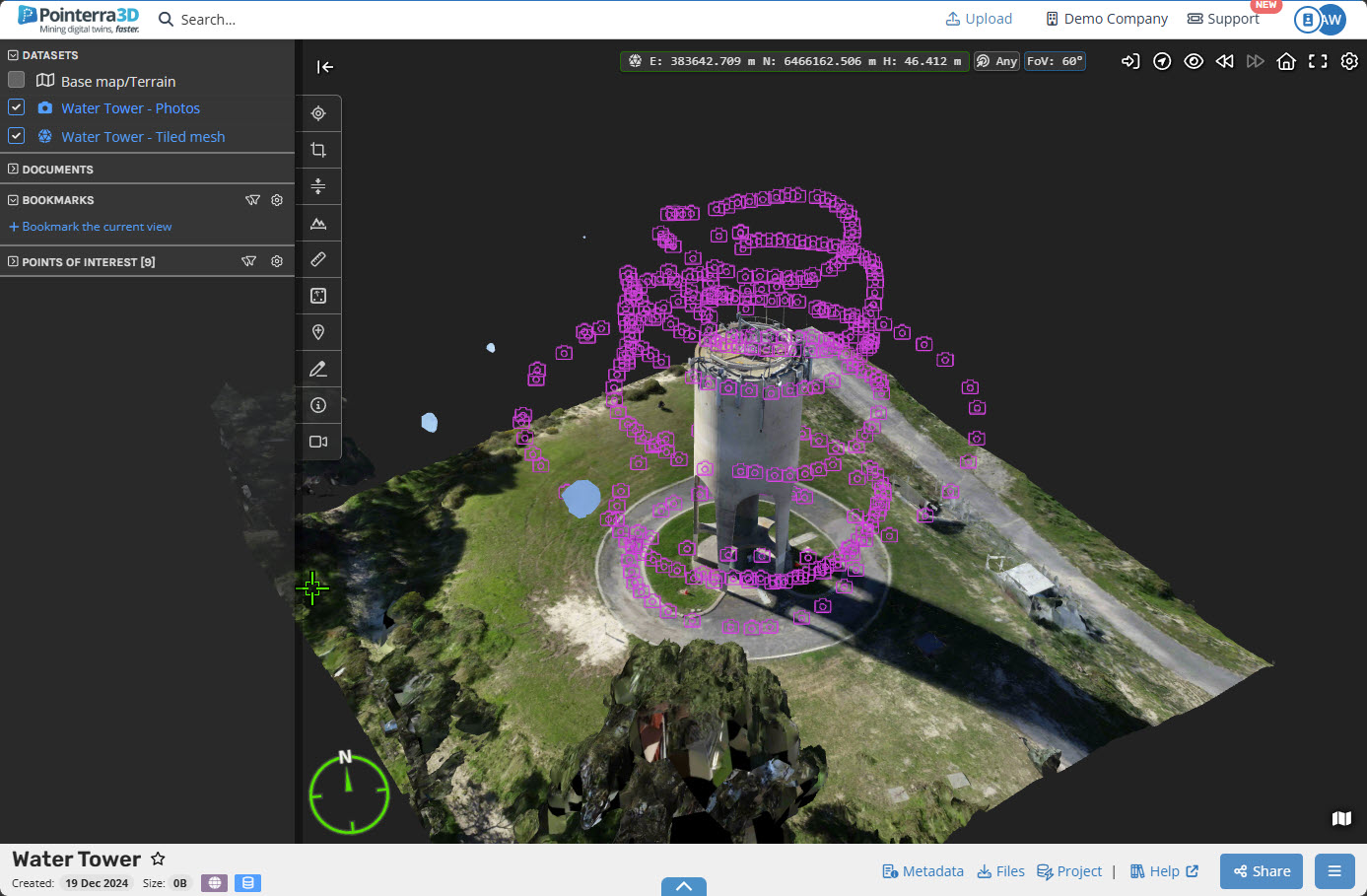
Uploading a Reality Model/Surface Mesh that isn't a 3D Tileset
If your reality capture software does not have the capability to generate a 3D tileset, the following process can help.
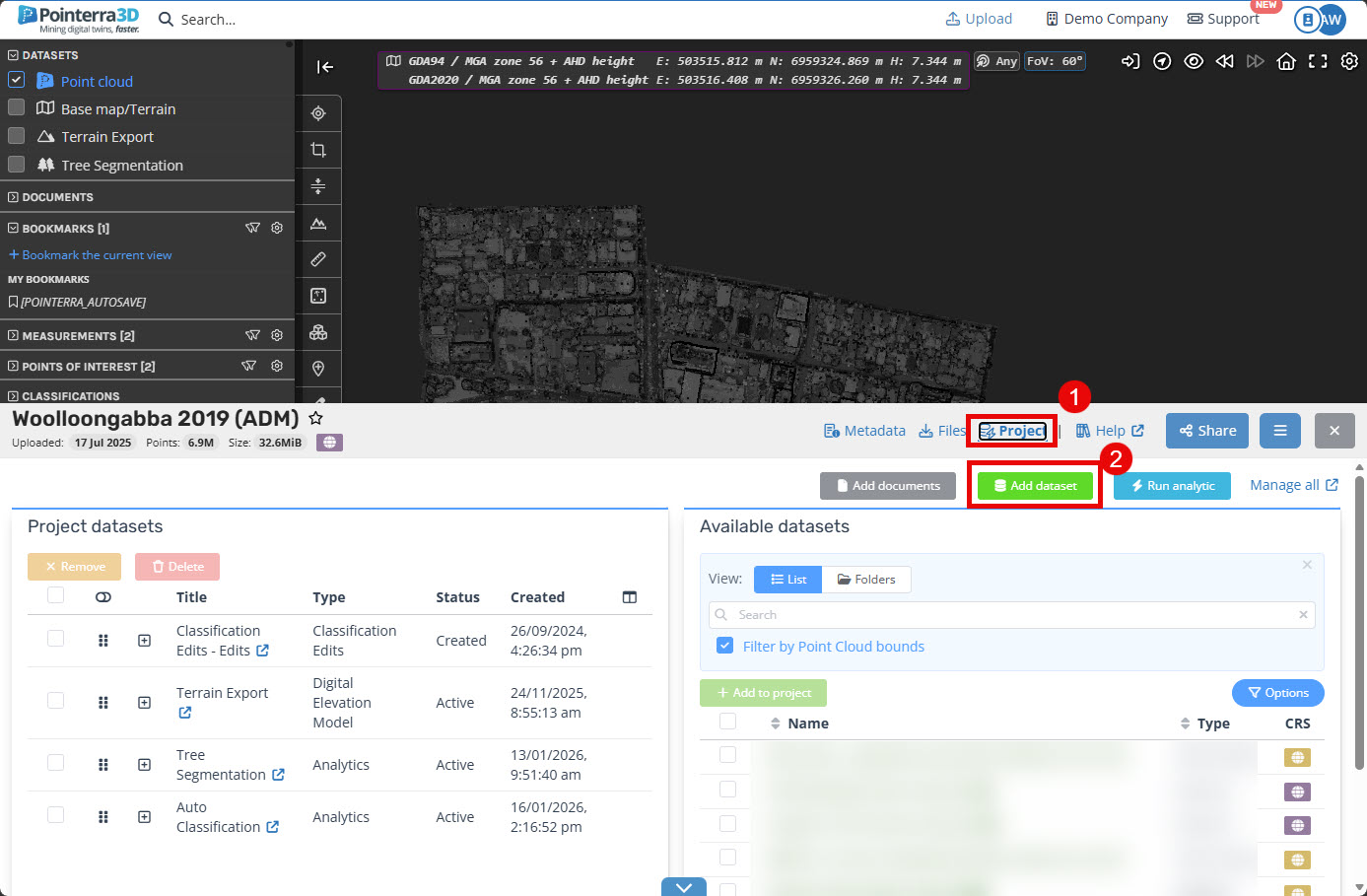
Load the Point Cloud project and navigate to its Projects (1), as shown below. Click Add dataset (2)
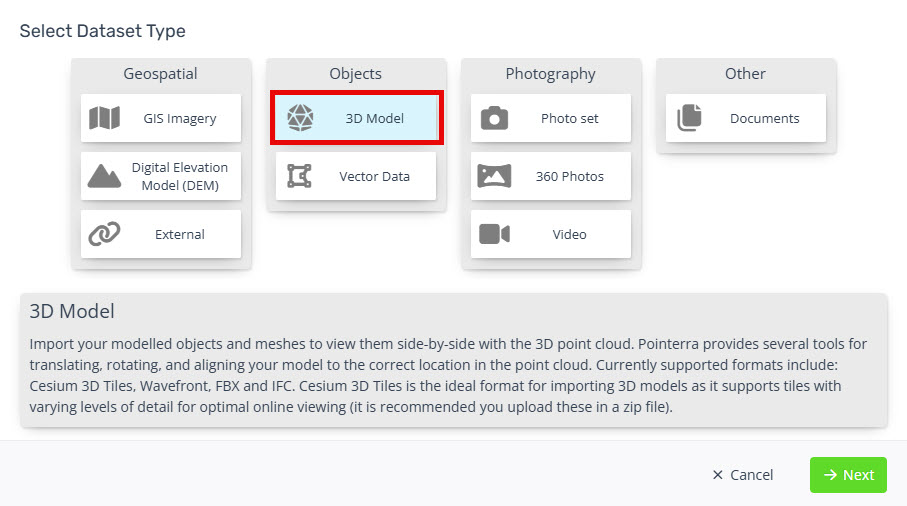
Click the 3D Model button and click Next.
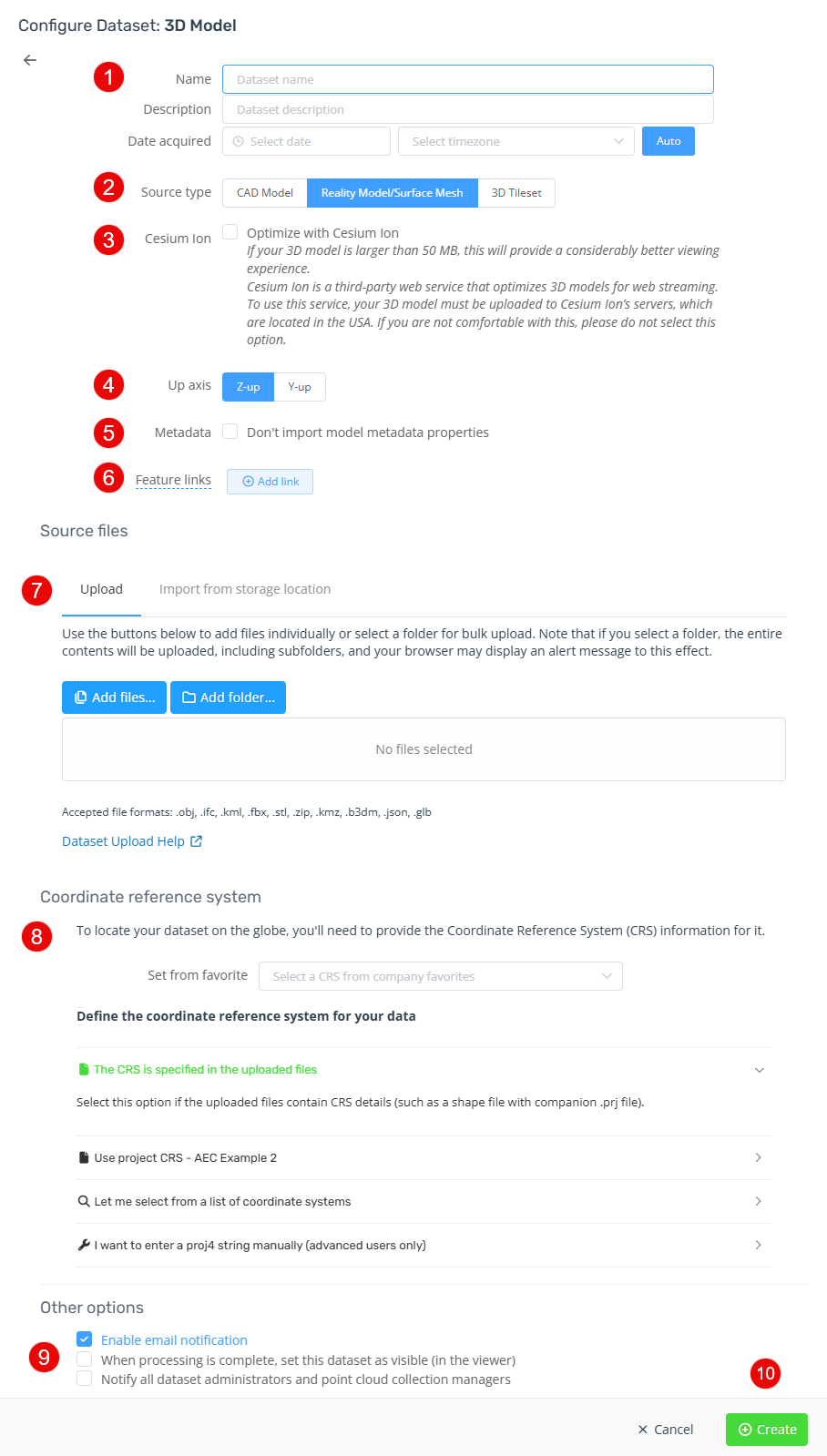
Give the dataset a name, description (optional) and date acquired (optional).
Choose Reality Model/Surface Mesh.
Optionally Optimize with Cesium Ion.
Choose the Up axis.
Choose to include the metadata properties.
Specify one or more URL templates to display when a feature is selected with the info tool.
Select the source files/folders.
Choose the dataset source CRS.
Choose if you wish to make this dataset visible by default and/or email all dataset administrators.
Click Create to start the upload and import.
Once the upload and import completes, you will receive an email notification saying the dataset is ready for viewing, reload the Point Cloud project web page to view the Mesh.