
How do I export points from a custom polygon?
If you have a custom polygon from a vector layer, you can initiate a clip and export using those polygons.
Notes:
It is recommended to simplify the the number of vertices as much as possible without affecting the overall shape.
If your vector dataset contains more than one polygon, these will appear as multiple objects in a single drawing layer.
The clip will be performed on all objects in the drawing layer.
If you wish to export each polygon to a separate point cloud file, we recommend uploading a vector dataset for each polygon.
Upload the vector file containing the polygons you want to use to export the data.
Convert the vector file to a drawing layer.
Make sure the drawing layer is visible and select the first object.
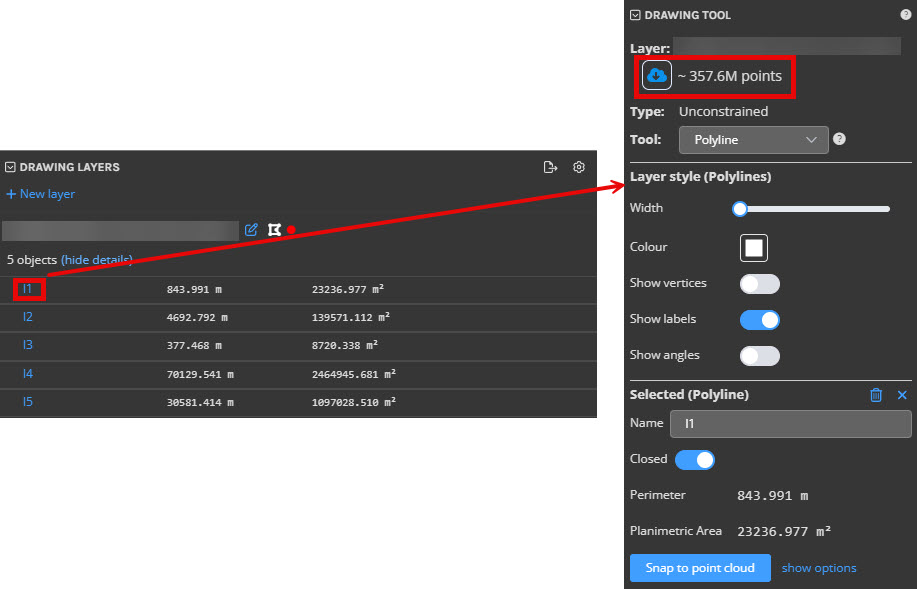
In the Drawing Tool, click the download points button and the export window will appear.