
How to export data to an external storage location
Once you have setup your external storage location, you can now begin the export of your data. Here are the ways this can be achieved.
Through the View/Download Files accessed via the projects window.
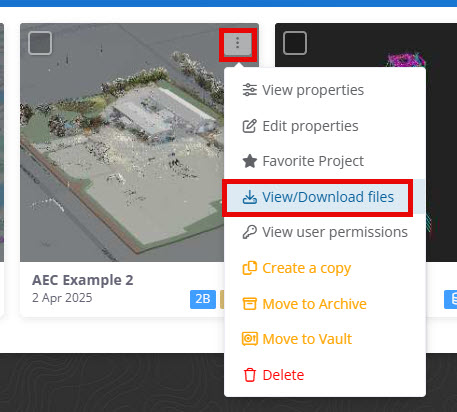
Click the three dotes on the top right of the project tile, or the actions column when viewing as list.
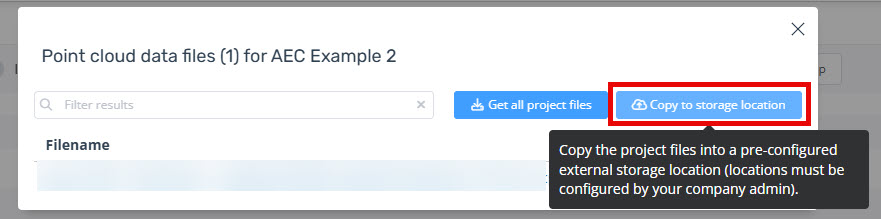
Click the blue "Copy to storage location button".
Select the storage location, choose the export name and destination folder. Optionally you can include the timestamp datasets attached to the project.
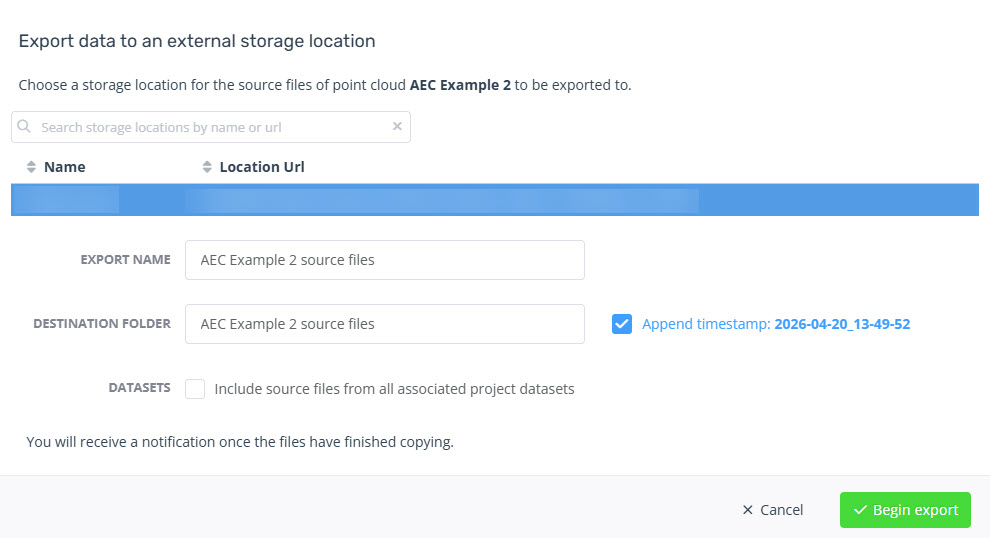
Click Begin export.
Through the Project
NOTE: If you want to export the sources files with classification versions created in Pointerra use the "Create las override archive" feature instead, see Applying Classification to Source Files (for download)
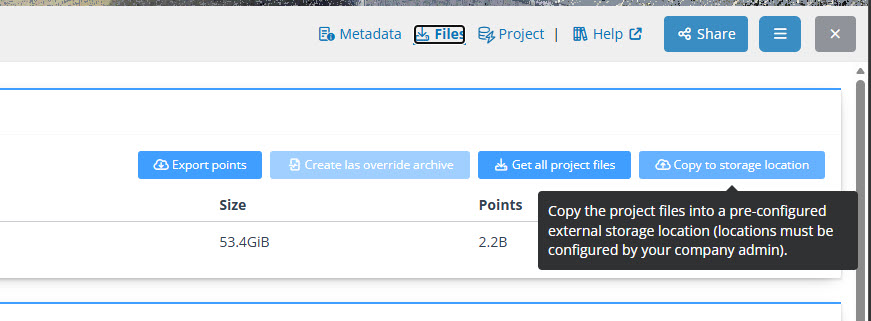
Through the project, navigate to the files section and click the blue "Copy to storage location button".
Select the storage location, choose the export name and destination folder. Optionally you can include the timestamp datasets attached to the project.
Click Begin export.