
Changes to Data Management
We've improved the way you browse and manage data on Pointerra. These changes simplify some of the complexities introduced as the platform has evolved. The following changes will be made available soon and if you wish to try these new features now, please get in contact with us for early access.
Key Changes
Point Clouds have been separated from Projects and are now considered Datasets. This means point clouds can be added and removed from projects like other datasets.
Datasets are now managed under the same collection tree as Projects.
All Datasets and Projects are now displayed in a single unified view.
Newly created Projects will no longer count towards your data usage quota (only Datasets are counted).
Details
Point Clouds and Projects
Up until now, point clouds have been treated as projects. They have now been separated, with point clouds becoming just another dataset type.
All existing point clouds will be made available as datasets.
Similarly, newly uploaded point clouds will be created as datasets, not projects.
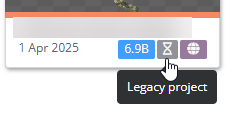
All existing projects are marked as "Legacy projects" and will keep the same behaviour.
Newly created projects now support dynamically adding and removing point clouds, just like other dataset types. This removes the need to merge point clouds.
Projects can still be merged together, but this is now just a convenient way to add datasets, POIs, measurements etc. from one project into another. Projects can now also be merged into existing projects.
New projects will not add to your company's quota usage. Creating multiple projects from the same datasets will only count the files once.
Within the projects, the storage size indicates all datasets attached to the project.

Uploading
Point clouds and other dataset types now use a single upload page.
Uploading a point cloud no longer automatically creates a project. This is now an optional step.
Multiple datasets can now be uploaded at once.
Uploads on the 3D viewer page can be collapsed, allowing you to continue using the viewer while it progresses.
For help using the new upload form, see this article.
Dataset Folders
Dataset folders have been removed.
Datasets can now be added to collections instead, enabling finer-grained permission control.
Company admins can choose how datasets are migrated into collections.
Point cloud datasets have already been added to the same collection as their respective project.
Datasets will only be visible to the user who created them or to users granted the new "Manage datasets" collection permission. This permission is not added to collections by default.
The visibility of datasets within a project has not changed. Users viewing a project will still see all datasets in the 3D viewer.
Upon migration, datasets will be added to the same collections as any projects they are in. Any custom dataset folders you had will be recreated as collections and datasets will be moved accordingly.
UI Changes
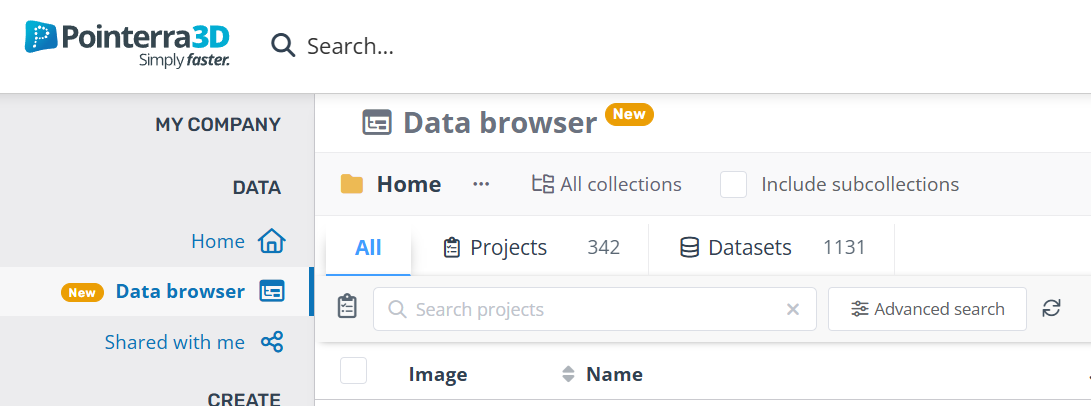
The Datasets and Projects pages have been merged into a unified Data Browser view.
The Jobs list page has been removed. In-progress point cloud jobs are now found in the dataset list, which can be filtered by type and status.
What do I need to do?
Contact us for early access.
We will contact you to organise a time to configure the rollover.
Once enabled, if you are an administrator, you will need to migrate your company's datasets into collections from the Data Browser page. This is a quick and automated process, you just need to choose where your datasets are moved. Dataset permissions will remain unchanged until the migration is complete.
If you want other users to see datasets in the Data Browser, you can also add the "Manage datasets" permission to your collections.