How do I create a project?
This page is only applicable to companies using the new unified data management system (i.e. if you have the Data Browser tab on your company page).
Projects are the primary method of viewing, sharing and editing datasets. Adding a dataset to a project makes it visible to anyone who can view that project, regardless of what collection the dataset is in.
There are several ways to create a new project:
From the Data Browser
From the dataset details page
If you have an existing project that you want to add datasets to, see this article.
Using the Data Browser
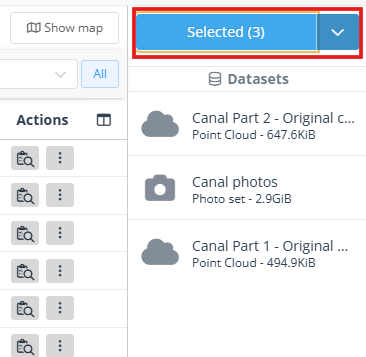
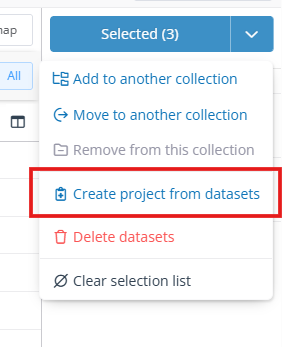
Select up to 20 datasets in the Data Browser, and they will be listed on the right side of the page. From the blue action menu on the right, click Create project from datasets. If you don't see this option, make sure you first deselect any projects and check you have permission to upload in your company.
A dialog will appear, allowing you to add a name, description etc. for your project. By default the project will use the same CRS as the selected datasets, but you can also change that here.
Datasets must have the same CRS datum mode to be added to the same project.
Using the dataset details page
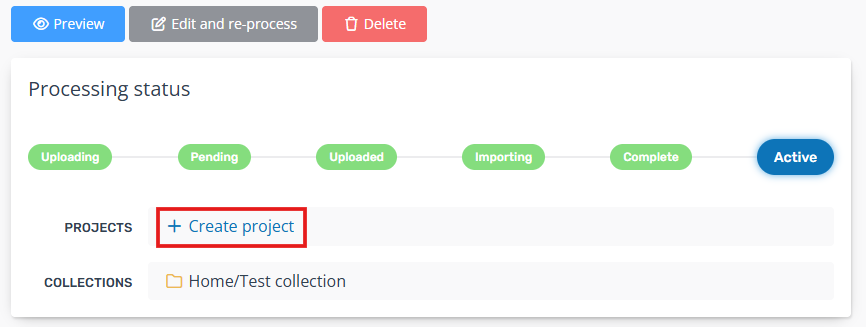
In the Data Browser, click a dataset's name to visit its details page, then click Create project under the top status section. This will create a new project with just this dataset in it.